User & boat profile
Milestones & Milestone Badges
What are milestones
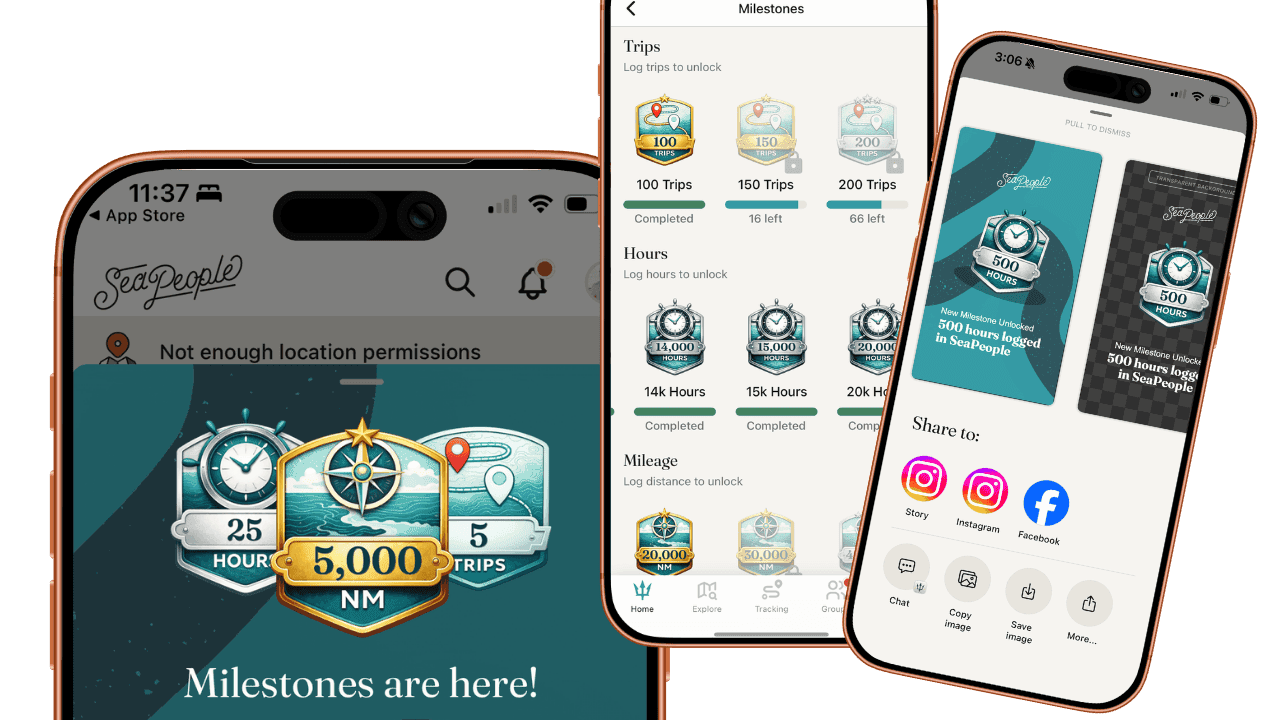
Milestones are achievement badges that recognize your boating activity over time.
They are earned based on:
Total trips completed
Total hours on the water
Total distance (NM) traveled
As you reach new levels, your milestone badges update automatically in your profile.
How to Earn Milestones
Milestones are earned simply by logging your time on the water in SeaPeople.
To progress toward milestones:
Start tracking a trip in SeaPeople.
Record your activity as normal.
Save your trip when finished.
OR manually drawn OR import trips from gpx files.
Your totals update automatically, and any new milestones you’ve reached will unlock instantly.
No manual submissions or extra steps are required.
Removing trip from Milestone calculations
For any trip you wish to not count towards your milestones (or your profile stats):
Open the trip in your logbook
Tap the edit pencil ✏️ icon
Scroll down in the edit trip screen
Toggle OFF 'include in stats'
Sharing Milestones
You can share your milestone badges directly from SeaPeople.
To share a milestone:
Tap any unlocked badge anywhere in the app.
Use the 'view all' button when viewing locked milestones.
Select Share.
SeaPeople will generate shareable cards you can post to:
Instagram
Messages
Email
Social media
Or anywhere you share photos